
توضیحات
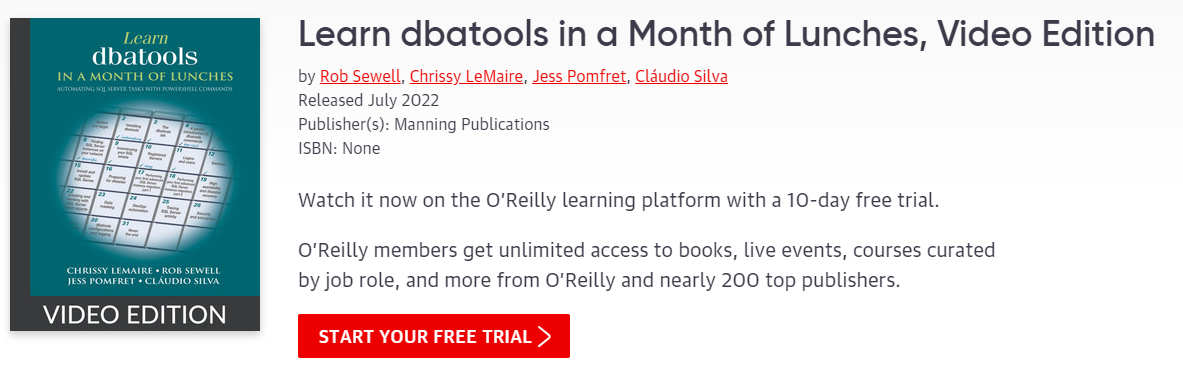
دوره Learn dbatools in a Month of Lunches Video Edition. در نسخههای ویدئویی، راوی کتاب را میخواند در حالی که محتوا، شکلها، فهرستهای کد، نمودارها و متن روی صفحه نمایش داده میشوند. مانند یک کتاب صوتی که میتوانید آن را به عنوان یک ویدیو نیز تماشا کنید.. اگر با SQL Server کار میکنید، dbatools یک ابزار بسیار کارامد و نجاتبخش است. این کتاب به شما نشان میدهد که چگونه از این ماژول رایگان و متنباز PowerShell برای خودکارسازی تقریباً هر کار مربوط به SQL Server که تصور کنید استفاده کنید. برای مدیران پایگاه داده SQL Server، خودکارسازی کلید کارایی است. با استفاده از ماژول PowerShell متنباز dbatools، میتوانید به راحتی وظایف را روی هزاران سرور پایگاه داده به طور همزمان اجرا کنید – همه اینها از خط فرمان. dbatools بیش از 500 دستور از پیش ساخته شده را در اختیار شما قرار میدهد، با گزینههای بیشمار جدید برای مدیریت SQL Server در مقیاس بزرگ.
این کتاب توسط گروهی از نویسندگان متخصص، از جمله Chrissy LeMaire، خالق dbatools، نوشته شده است و به شما تکنیکهایی را آموزش میدهد که شما را مؤثرتر و کارآمدتر از آنچه تاکنون تصور میکردید، میکند. در بیست و هشت درس، مهمترین موارد استفاده از dbatools و توابع مورد علاقه توسعهدهندگان اصلی آن را یاد خواهید گرفت. محیط SQL Server خود را تثبیت و استاندارد کنید و با استفاده از این ابزار قدرتمند، وظایف خود را با ایجاد خودکارسازی، هشدارها و گزارشدهی ساده کنید.
آنچه در Learn dbatools in a Month of Lunches Video Edition دوره فرا خواهید گرفت:
- مهاجرتهای بین نمونهها و سفارشی شده را انجام دهید.
- حسابرسیهای امنیتی، تنظیمات tempdb، هشدارها و گزارشدهی را خودکار کنید.
- وظایف PowerShell را در SQL Server Agent برنامهریزی و نظارت کنید.
- اجرای وظایف پیشرفته و افزایش کارایی برای مدیریت روزمره
- مدیریت SQL Server Agent از جمله اجرای مؤثر اسکریپتهای PowerShell
- هر نوع دادهای را به صورت فلهای وارد SQL Server کنید.
- dbatools را در محیطهای امن نصب کنید.
این دوره برای افرادی است که:
- برای مدیران پایگاه داده، مدیران پایگاه داده تصادفی و مهندسان سیستمهایی که SQL Server را مدیریت میکنند.
مشخصات دوره
- ناشر: Oreilly
- مدرس: Rob Sewell, Chrissy LeMaire, Jess Pomfret, Cláudio Silva
- سطح آموزش: مبتدی تا پیشرفته
- مدت زمان آموزش: 9 ساعت و 49 دقیقه
سرفصل های دوره
- Chapter 1. Before you begin
- Chapter 1. Automate it
- Chapter 1. What is dbatools?
- Chapter 1. Is this book for you?
- Chapter 1. How to use this book
- Chapter 1. Contacting us
- Chapter 1. Being immediately effective with dbatools
- Chapter 2. Installing dbatools
- Chapter 2. Signed software
- Chapter 2. Understanding installation paths
- Chapter 2. Installation methods
- Chapter 2. PowerShell Gallery alternative
- Chapter 2. How to find and use commands, the help system, and docs.dbatools.io
- Chapter 2. Updating
- Chapter 2. Hands-on lab
- Chapter 3. The dbatools lab
- Chapter 3. Two options for building a dbatools lab environment
- Chapter 3. Option 1: Windows lab
- Chapter 3. Option 2: Quick demo environments using containers
- Chapter 4. A gentle introduction to dbatools commands
- Chapter 4. Checking the SQL connection
- Chapter 4. First, getting help
- Chapter 4. Running your first dbatools command
- Chapter 4. The -SqlInstance parameter
- Chapter 4. The -SqlCredential parameter
- Chapter 4. The ComputerName parameter
- Chapter 4. The -Credential parameter
- Chapter 4. Bonus parameter: EnableException
- Chapter 4. Hands-on lab
- Chapter 5. Writing to SQL Server
- Chapter 5. Writing to a database
- Chapter 5. Copying tables, including their data
- Chapter 5. Hands-on lab
- Chapter 6. Finding SQL Server instances on your network
- Chapter 6. Working with detailed results
- Chapter 6. OS support
- Chapter 6. Hands-on lab
- Chapter 7. Inventorying your SQL estate
- Chapter 7. Build
- Chapter 7. Host information
- Chapter 7. Databases
- Chapter 7. Putting it all together into a database
- Chapter 7. Hands-on lab
- Chapter 8. Registered Servers
- Chapter 8. Azure Data Studio
- Chapter 8. Central Management Server
- Chapter 8. Inventory organization
- Chapter 8. Further integration
- Chapter 8. Registered Server groups
- Chapter 8. Hands-on lab
- Chapter 9. Logins and users
- Chapter 9. Preventing login issues
- Chapter 9. Logins, users, and permissions source control
- Chapter 9. How was access gained?
- Chapter 9. Hands-on lab
- Chapter 10. Backups
- Chapter 10. Reading backup files
- Chapter 10. Backup history
- Chapter 10. Pruning old backup files
- Chapter 10. Testing your backups
- Chapter 10. Hands-on lab
- Chapter 11. Restore
- Chapter 11. Restore scenarios
- Chapter 11. Restoring to custom data and log directories
- Chapter 11. Azure
- Chapter 11. Hands-on lab
- Chapter 12. Snapshots
- Chapter 12. Application upgrade
- Chapter 12. When to use snapshots
- Chapter 12. Creating a snapshot
- Chapter 12. Upgrading
- Chapter 12. Rolling back the entire database from a snapshot
- Chapter 12. Restoring certain objects or data from a snapshot
- Chapter 12. Cleaning up
- Chapter 12. Reporting
- Chapter 12. Hands-on lab
- Chapter 13. Install and update SQL Server
- Chapter 13. Updating
- Chapter 13. The importance of patching
- Chapter 13. How we make it easier
- Chapter 13. Hands-on lab
- Chapter 14. Preparing for disaster
- Chapter 14. Granular exports
- Chapter 14. Special commands
- Chapter 14. Exporting server configurations (sp_configure)
- Chapter 14. Hands-on lab
- Chapter 15. Performing your first advanced SQL Server instance migration, part 1
- Chapter 15. Hands-on lab
- Chapter 16. Performing your first advanced SQL Server instance migration, part 2
- Chapter 16. SQL Agent objects: Jobs, operators, and more!
- Chapter 16. Linked servers
- Chapter 16. More migration fun
- Chapter 16. Hands-on lab
- Chapter 17. High availability and disaster recovery
- Chapter 17. Windows Server Failover Cluster (WSFC)
- Chapter 17. Availability groups
- Chapter 17. Hands-on lab
- Chapter 18. PowerShell and SQL Server Agent
- Chapter 18. Creating Agent jobs to run PowerShell and dbatools
- Chapter 18. Creating the SQL Server Agent job with a CmdExec job step
- Chapter 18. Tips
- Chapter 18. Hands-on lab
- Chapter 19. SQL Server Agent administration
- Chapter 19. Agent job results and history
- Chapter 19. Hands-on lab
- Chapter 20. Creating and working with SQL Server Agent objects
- Chapter 20. Bonus Agent job commands
- Chapter 20. Hands-on lab
- Chapter 21. Data masking
- Chapter 21. A common approach
- Chapter 21. The better approach
- Chapter 21. The process
- Chapter 21. Hands-on lab
- Chapter 22. DevOps automation
- Chapter 22. DACPAC
- Chapter 22. Running dbatools (and PowerShell) on a CI/CD system
- Chapter 22. Hands-on lab
- Chapter 23. Tracing SQL Server activity
- Chapter 23. Extended Events
- Chapter 23. Hands-on lab
- Chapter 24. Security and encryption
- Chapter 24. Extended protection for authentication
- Chapter 24. Hide an instance
- Chapter 24. Transparent data encryption (TDE)
- Chapter 24. Database backup encryption
- Chapter 24. Multilayered security
- Chapter 24. Hands-on lab
- Chapter 25. Data compression
- Chapter 25. How does rowstore data compression work?
- Chapter 25. Why use data compression?
- Chapter 25. It can’t all be rainbows and unicorns: Compression drawbacks
- Chapter 25. What’s compressed?
- Chapter 25. What should we compress?
- Chapter 25. What makes a good candidate for compression?
- Chapter 25. dbatools, what should I compress?
- Chapter 25. Compressing objects the old-fashioned way
- Chapter 25. dbatools to the rescue!
- Chapter 25. Specifying the compression level
- Chapter 25. Advanced settings
- Chapter 25. Hands-on lab
- Chapter 26. Validating your estate with dbachecks
- Chapter 26. Our first check
- Chapter 26. Viewing all available checks
- Chapter 26. Configuring the check parameters
- Chapter 26. Storing the output data in a database
- Chapter 26. Hands-on lab
- Chapter 27. Working in the cloud
- Chapter 27. Service principals and access tokens
- Chapter 27. Supported commands
- Chapter 27. The future
- Chapter 27. Hands-on lab
- Chapter 28. dbatools configurations and logging
- Chapter 28. Taking the configs with you
- Chapter 28. Using the logging system
- Chapter 28. Exploring logged activity
- Chapter 28. Hands-on lab
- Chapter 29. Never the end
- Chapter 29. More PowerShell
- Chapter 29. Contribute to dbatools
- Chapter 29. Farewell
تصاویر دوره Learn dbatools in a Month of Lunches Video Edition
نمونه فیلم دوره
راهنمای نصب
پس از Extract، با Player دلخواه خود مشاهده کنید.
زیرنویس: ندارد
کیفیت: 720p
لینک دانلود
گذرواژه فایل(ها): www.downloadly.ir
حجم فایل
1.2 گیگابایت