





توضیحات
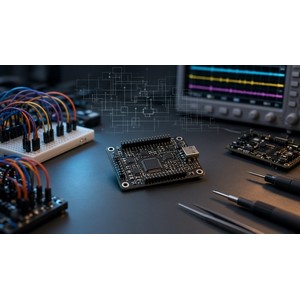
Mentor Graphics PADS نرم افزاری توانمند برای طراحی و ساخت بردهای مدار چاپی (PCB) است. مهندسین و طراحان PCB همیشه دنبال ابزارهایی قابل اعتماد و کیفیت بالا هستند. Mentor Graphics PADS نرم افزاری است که به واسطه توانایی های لایه بندی و ابزارهای قدرتمند در حوزه شماتیک مدار، طراحی مدارهای چاپی را بسیار ساده کرده است. در این برنامه اطلاعات تمامی کامپوننت ها در یک مکان مرکزی گردآوری میشود که این کار باعث جلوگیری از ساخت تکراری قطعات مورد نیاز خواهد شد، این کار باعث کاهش زمان طراحی و جلوگیری از دوباره کاری خواهد شد.
اگر نیازمند طراحی برد هایی هستید که درصد بالایی از سیگنالهای پرسرعت در آن وجود دارد اهمیت استفاده از طراحی محدودیت محور را کاملا درک خواهید کرد، PADS سیستم بسیار خوبی برای مدیریت تمامی محدودیتهای اعمال شده در مدار داراست که کاربران خیلی راحت میتوانند محدودیت های مورد نظر خود را ایجاد، بازبینی و ارزیابی کنند . امکان طراحی گزارشهای مختلف در این برنامه فراهم است، همچنین امکان مقایسه طرح های مختلف آرشیو شده وجود دارد، layout پیشرفته این محصول، طراحی بردهای مدار چاپی مختلف با قابلیت چاپ را امکان پذیر میکند. این نرم افزار به صورت خاصی برای طراحی برد هایی که پیچیدگی زیادی ندارند ایده آل است.
امکانات و ویژگی های نرم افزار Mentor Graphics PADS:
- طراحی شماتیک مدار
- شبیه سازی آنلاین مدارهای طراحی شده
- انتخاب کامپوننتهای مخلتف و ارزیابی درون بخشی
- جستجوگر قدرتمند و فیلترینگ با مدیریت اطلاعات کامپوننتهای مختلف
- امکان ایجاد الگوهای سازگار با IPC
- مدیریت محدودیتها به صورت یکپارچه
- اعمال بسیار سریع محدودیتها و مسیریابی دقیق
- تست سلامت سیگنال با استفاده از HyperLynx
- شبیه سازی مدارهای آنالوگ و حرارتی
- کتابخانه مرکزی شامل اجزای مختلف
- و …
سیستم مورد نیاز
32-bit Operating systems: Windows 10, Windows 8.1 & Windows 7 SP1
64-bit Operating systems: Windows 10, Windows 8.1 & Windows 7 SP1
Memory requirements: 8 GB RAM (min)
Disk space requirements: Download
~3.3 GB, Installation 7GB
For Logic:
Operating System: Windows 10, Windows 8.x, Windows 7, Windows XP Professional (SP3), Windows Vista (SP1)
1 GB memory minimum
تصاویر Mentor Graphics PADS

راهنمای نصب
در فایل Readme موجود در پوشهی Crack آورده شده است.
قابل توجه است که عموما نرم افزار های MentorGraphics در سیستم های مجازی اجرا نمیشوند!
نسخه PADS Pro VX.2.10 :
از کرک MentorKeyGen Tool V1.3.1e.exe و فایل Readme قرار گرفته در کنار آن استفاده نمایید.
نسخه های PADS VX.2.7/2.8 Pro :
از پوشه Crack ، فایل MakeLic.bat را اجرا کرده تا فایل licensefile.dat تولید شود
یک فولدر به نام MentorGraphics در ریشه درایو C ساخته و فایل licensefile.dat تولید شده را در آن ( C:\MentorGraphics ) کپی کنید
فایل Environment.reg را اجرا کنید
از پوشه Setup ، فایل setup.exe را اجرا کرده و روی install Products کلیک کنید
در حین نصب ، وقتی که پیغام Licensing not found مشاهده شد ، yes را انتخاب کنید
Import License را انتخاب کرده ، next و سپس browse را کلیک کنید . در پنجره باز شده ، از گوشه ی پایین چپ ، مقدار File of Types را به License Files (*.dat) تغییر داده ، به مسیر C:\MentorGraphics رفته و فایل licensefile.dat را انتخاب کنید
روی next و سپس done کلیک کنید
*در صورتی که صفحه نصب به درستی نشان داده نمیشود ، صفحه را بسته و مجددا setup.exe را اجرا کنید
مراحل نصب را پیش بروید
در مرحله Post Installation Scripts ، روی I would like to continue through licensing setup کلیک کرده و next را بزنید
مقادیر پیش فرض Mobile Compute و MGLS Licensing را انتخاب کرده و next کنید
روی browse کلیک کرده ، از گوشه پایین راست ، مقدار License Files (*.dat) را انتخاب کرده و فایل C:\MentorGraphics\licensefile.dat را انتخاب کنید
next را کلیک کرده و پیش بروید
نرم افزار اکنون آماده استفاده است
PADSVX.2.2
THIS is for PADSVX.2.2 but works for any VX version of PADS Standard and Standard Plus
1. Run the setup in the default folder (C:\MentorGraphics)
2. Skip the license install
3. Modify the installation as follows:
a) Change the Target Path to C:\MentorGraphics\PADSVX folder you created earlier
b) Select ALL the packages available for install from Product Selection, then unselect the following:
– Check for updates
– Design Archive
– Server tools
4. Now run the instalation.
5. During the install you will be promped to unregister earlier versions of PADS (9.5 and 2005). Click YES to that. You can use the Release Switcher later to go back to either one.
6. After the install has finished, copy the MentorKG.exe and run.bat found in the Crack folder to the C:\MentorGraphics\PADSVX folder
From there run “run.bat” and wait untill it generates a license file (should open a Notepad license.txt
Save this file as PADSVX_LICENSE.TXT in the C:\MentorGraphics\PADSVX folder
7. Now run the PADSVX setup again (PADSVX.2.2_mib.exe) and this time DON’T SKIP license installation. Click NEXT to go to the License Setup. Choose the first option (Mobile Compute Node-locked licensing), click NEXT and Browse to the PADSVX_LICENSE.TXT you saved earlier in the C:\MentorGraphics\PADSVX folder. This will add the PADSVX license to the existing licenses (9.5 and 2005). When asked if there are any more licenses you want to add click NO.
8. Everything should be ready to use now. You will find the programs under START\PADSVX2.2. The isntall doesn’t make shortcuts for them so you will need to do that yourself. Check if PADSVX LAYOUT is working ok (just to be sure, before you do anything else)
9. At any time, if you want to go back to a previous version of PADS (9.5 or 2005) use the MGC BSD Release Switcher found under START/Mentor Graphics PCB Admin Utilities.
In the upper list choose the product you want to unregister (make inactive) and in the lower list the one you want to register (make active). Click OK and it will take a few minutes to do the job. During the switch you will be asked if ou want to configure a license. Choose “I have a valid license. I would like to skip the licensing setup”.
Click NEXT and choose the working directory. This is the folder where PADS does all the default folders (CAM, Reuse… etc). It doesn’t really matter what folder you choose since you should configure these folders in PADS/OPTIONS. They get saved in the PADS ini file so everytime you switch to a release it should use the folders defined in that release’s ini file.
Click FINISH and after the istaller registers a few more files it should be done. Click FINISH again.
نسخه PADS Pro VX.2.10 در تاریخ 14 بهمن 1400 روی ویندوز 11 ویرایش 64بیتی نصب و با موفقیت فعال شده است.
لینک دانلود
Siemens PADS Standard Plus VX.2.15 x64
Siemens PADS Standard Plus VX.2.11 x64
Mentor Graphics PADS Pro VX.2.10 x64
دانلود Mentor Graphics PADS Professional VX.2.10 Documents
Mentor Graphics PADS VX.2.10 x64
Mentor Graphics PADS VX.2.8 Pro x64
دانلود Mentor Graphics PADS VX.2.8 Pro Update 8 x64
دانلود Mentor Graphics PADS VX.2.8 Pro Documents x64
Mentor Graphics PADS VX.2.7 Pro
دانلود Mentor Graphics PADS VX.2.7 Pro update7 x64
دانلود Mentor Graphics PADS VX.2.7 Pro Documents
Mentor Graphics PADS VX.2.7 x86 x64
Mentor Graphics PADS Student Pro VX.2.6 x86
Mentor Graphics PADS Student Pro VX.2.6 x64
دانلود Mentor Graphics PADS Student Pro VX.2.6 Documents
Mentor Graphics PADS Standard Plus VX.2.6 x86
دانلود Mentor Universal Cracks
گذرواژه فایل(ها): www.downloadly.ir
حجم فایل
6.84 گیگابایت









































4 دیدگاه. همین الان خارج شوید
سلام. من برای 2.11 دچار مشکل عدم شناسایی فایل شدم با فایل SiemensEDALicensePatcher V1.0 مشکلک حل شد
سلام
میشه از این نرم افزار خروجی اکسل گرفت؟
برای دستگاه های pick and place میخوام
ممنون
سلام
pads VX proffesional داخل پک Mentor Graphics PADS VX.2.7 x86 x64 است؟
سلام
خیر، نسخه Standard است.