
1. صفحه اصلی
  2. »
  3. آموزش
  4. »
  5. آموزش تصویری
  6. »
  7. Oreilly – Build Python Web Apps with Streamlit, Video Edition 2026-5
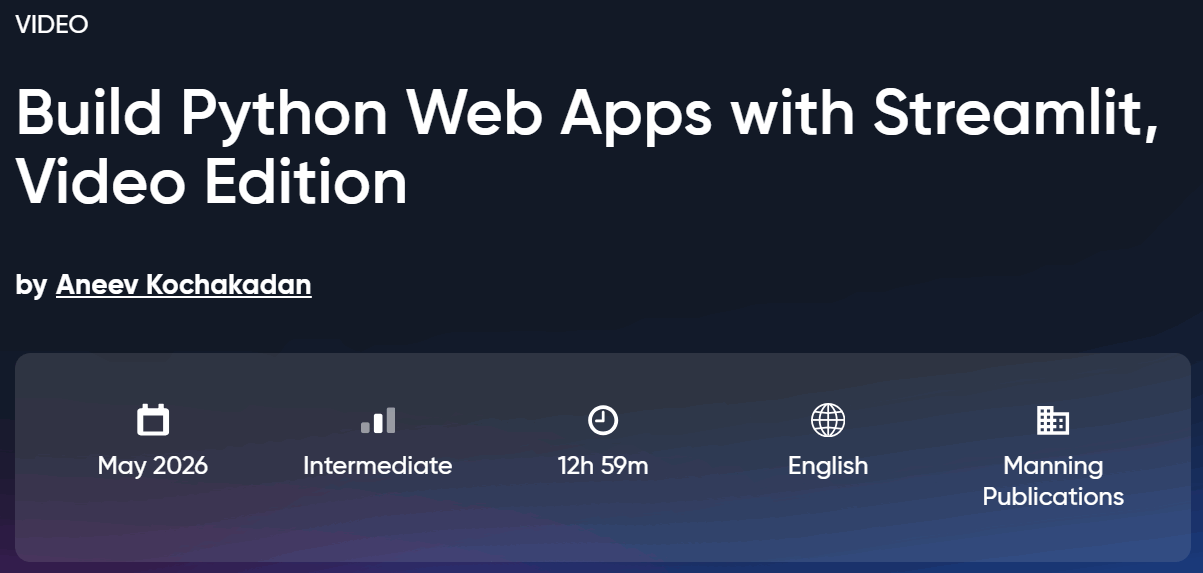
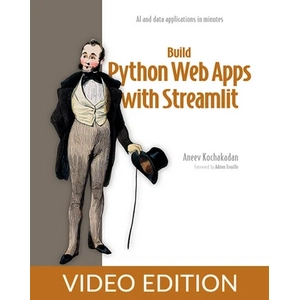
Build Python Web Apps with Streamlit, Video Edition

Oreilly – Build Python Web Apps with Streamlit, Video Edition 2026-5

توضیحات

دوره Build Python Web Apps with Streamlit, Video Edition. این دوره آموزشی یک برنامه کاربردی و جامع برای یادگیری ساخت اپلیکیشن‌های وب تعاملی با استفاده از زبان پایتون و فریم‌ورک Streamlit است که به توسعه‌دهندگان امکان می‌دهد بدون نیاز به دانش فرانت‌اند، ابزارهای داده‌ای و هوش مصنوعی خود را به سرعت روی وب منتشر کنند. این دوره آموزشی بر پایه یک رویکرد اثبات‌شده مبتنی بر ساخت پروژه‌های عملی طراحی شده است تا برنامه‌نویسان پایتون بتوانند ایده‌های خود را در زمینه ابزارهای داده و جریان‌های کاری هوش مصنوعی بدون نیاز به دانش پیچیده HTML، CSS و JavaScript به برنامه‌های کاربردی وب تبدیل کنند. با استفاده از کامپوننت‌های آماده رابط کاربری و تنظیمات ساده فریم‌ورک Streamlit، فراگیران یاد می‌گیرند که مدل‌های اجرایی را درک کنند و از طریق چالش‌های واقعی برنامه‌نویسی و رفع خطا، مهندسی نرم‌افزار را به صورت عملی تجربه کنند. در طول این برنامه آموزشی، شرکت‌کنندگان با ساخت انواع داشبوردهای داده، چک‌لیست‌های تعاملی و چت‌بات‌های مجهز به هوش مصنوعی با الگوهای RAG و ایجنت آشنا می‌شوند. همچنین مباحث مهمی همچون یکپارچه‌سازی پایگاه داده و ذخیره‌سازی داده‌های پایدار، احراز هویت و مدیریت دسترسی کاربران، پیاده‌سازی معماری‌های سطح تولید و مستندسازی زیرساخت‌های نرم‌افزاری پوشش داده می‌شود. این دوره توسط یکی از مهندسان ارشد نرم‌افزار طراحی شده است و به علاقه‌مندان کمک می‌کند تا مهارت‌های توسعه وب و هوش مصنوعی خود را به سطح حرفه‌ای برسانند.

آنچه فرا خواهید گرفت

  • ساخت اپلیکیشن‌های وب تعاملی بدون نیاز به یادگیری کدهای HTML، CSS و JavaScript
  • درک کامل مدل اجرایی فریم‌ورک Streamlit و نحوه عملکرد آن در پشت صحنه
  • کار با پایگاه‌های داده و مدیریت داده‌های پایدار در برنامه‌های وب
  • ایجاد و پیاده‌سازی معماری‌های نرم‌افزاری در سطح استاندارد تولید
  • پیاده‌سازی احراز هویت و مدیریت سطح دسترسی کاربران
  • ساخت برنامه‌های کاربردی قدرتمند مجهز به مدل‌های زبانی بزرگ LLM
  • توسعه داشبوردهای پیشرفته داده و مصورسازی‌های کاربردی اطلاعات
  • رعایت اصول امنیتی استاندارد و بهترین روش‌های توسعه نرم‌افزار

این دوره مناسب افرادیست که

  • برنامه‌نویسان زبان پایتون که می‌خواهند بدون دانش قبلی وب یا هوش مصنوعی، اپلیکیشن‌های تحت وب بسازند
  • توسعه‌دهندگان داده که قصد دارند نتایج تحلیل‌های خود را به صورت داشبوردهای تعاملی به اشتراک بگذارند
  • علاقه‌مندان به یادگیری ابزارهای مدرن هوش مصنوعی و مدل‌های زبانی در بستر پایتون
  • افرادی که می‌خواهند با ساخت پروژه‌های واقعی، مهارت‌های مهندسی نرم‌افزار و استقرار وب را بیاموزند

مشخصات دوره Build Python Web Apps with Streamlit, Video Edition

  • ناشر: Oreilly
  • مدرس: Aneev Kochakadan
  • سطح آموزش: مبتدی تا پیشرفته
  • مدت زمان آموزش: 12 ساعت و 59 دقیقه

سرفصل های دوره

  • Foreword
  • Part 1. Hitting the ground running
  • Chapter 1. Introduction to Streamlit
  • Chapter 1. What is Streamlit?
  • Chapter 1. Ten reasons Streamlit is so popular
  • Chapter 1. What can you build with Streamlit?
  • Chapter 1. When not to use Streamlit
  • Chapter 1. How is Streamlit different from other technologies?
  • Chapter 1. Summary
  • Chapter 2. Getting started with Streamlit
  • Chapter 2. Setting up your development environment
  • Chapter 2. Running Streamlit for the first time
  • Chapter 2. The Streamlit development workflow
  • Chapter 2. Building your first app
  • Chapter 2. Summary
  • Chapter 3. Taking an app from concept to code
  • Chapter 3. Stating our concept: A unit converter
  • Chapter 3. Defining the requirements
  • Chapter 3. Visualizing the user experience
  • Chapter 3. Brainstorming the implementation
  • Chapter 3. Writing code
  • Chapter 3. Iterating on the app
  • Chapter 3. Summary
  • Chapter 4. Streamlit’s execution model
  • Chapter 4. Implementing and troubleshooting the app
  • Chapter 4. How Streamlit executes an app
  • Chapter 4. Persisting variables across reruns
  • Chapter 4. Completing the app
  • Chapter 4. Summary
  • Chapter 5. Sharing your apps with the world
  • Chapter 5. Deploying the to-do list app to Streamlit Community Cloud
  • Chapter 5. Deploying an app that uses an external service
  • Chapter 5. Deploying changes to Streamlit Community Cloud
  • Chapter 5. Summary
  • Part 2. Diving into more complex apps
  • Chapter 6. A dashboard fit for a CEO
  • Chapter 6. Loading the data
  • Chapter 6. Prepping and filtering the data
  • Chapter 6. Calculating and displaying metrics
  • Chapter 6. Constructing visualizations
  • Chapter 6. Summary
  • Chapter 7. The CEO strikes back: Supercharging the dashboard
  • Chapter 7. Granularity in the time series chart
  • Chapter 7. Interdependent filters
  • Chapter 7. Date range comparisons
  • Chapter 7. A drilldown view
  • Chapter 7. Enabling deeplinks
  • Chapter 7. Sourcing data from a data warehouse
  • Chapter 7. Summary
  • Chapter 8. Building a CRUD app with Streamlit
  • Chapter 8. Setting up persistent storage
  • Chapter 8. Creating user accounts
  • Chapter 8. Setting up a multi-page login flow
  • Chapter 8. Creating, reading, updating, and deleting haikus
  • Chapter 8. Deploying Haiku Haven
  • Chapter 8. Summary
  • Part 3. Streamlit and LLMs
  • Chapter 9. Creating an AI-powered application
  • Chapter 9. Using AI to generate trivia questions
  • Chapter 9. Using AI to evaluate answers
  • Chapter 9. Moving through game states
  • Chapter 9. Game mechanics: Keeping score, a New Game button, and Game Over
  • Chapter 9. Including multiple questions
  • Chapter 9. Adding AI personalities
  • Chapter 9. Summary
  • Chapter 10. RAG and agentic apps with LangGraph and Streamlit
  • Chapter 10. Creating a basic chatbot
  • Chapter 10. Multi-turn conversations
  • Chapter 10. Restricting the bot to customer support
  • Chapter 10. Retrieval Augmented Generation
  • Chapter 10. Turning the bot into an agent
  • Chapter 10. Summary
  • Part 4. Testing and deploying apps
  • Chapter 11. Testing Streamlit apps
  • Chapter 11. Testing the application
  • Chapter 11. Unit testing the backend
  • Chapter 11. Unit testing the Streamlit frontend
  • Chapter 11. Testing the integration between components
  • Chapter 11. Testing the end-to-end flow
  • Chapter 11. Evolving code and tests
  • Chapter 11. Summary
  • Chapter 12. Packaging and deploying Streamlit apps
  • Chapter 12. Packaging the app using Docker
  • Chapter 12. Deploying to AWS Elastic Beanstalk
  • Chapter 12. Adding a custom domain and HTTPS
  • Chapter 12. Go forth and develop!
  • Chapter 12. Summary
  • Appendix A. Installing Python and Streamlit
  • Appendix A. Installing the right Python version
  • Appendix A. Installing Streamlit
  • Appendix A. Getting the streamlit command to work

تصاویر دوره

Build Python Web Apps with Streamlit, Video Edition

نمونه فیلم دوره

راهنمای نصب

پس از Extract، با Player دلخواه خود مشاهده کنید.

زیرنویس: انگلیسی

کیفیت: 1080p

لینک دانلود

دانلود بخش 1 – 1 گیگابایت

دانلود بخش 2 – 1 گیگابایت

دانلود بخش 3 – 135 مگابایت

گذرواژه فایل(ها): www.downloadly.ir


حجم فایل

2.1 گیگابایت

رتبه دهید

محاسبه حجم دانلود برای ایرانسل به‌صورت تمام‌بها است.

Download Faster Without Limitation

The data center of free servers has applied a non-Iranian IP restriction on some servers
There is no limitation for VIP servers

برچسب ها:

دیدگاهتان را بنویسید

نشانی ایمیل شما منتشر نخواهد شد. بخش‌های موردنیاز علامت‌گذاری شده‌اند *

این قسمت نباید خالی باشد
لطفاً یک نشانی ایمیل معتبر بنویسید.
فقط دیدگاه‌هایی که جنبه‌ی استفاده‌ی عمومی دارد، نمایش داده می‌شود؛ درصورت تمایل به دریافت نتیجه‌ی رسیدگیِ دیدگاه خود، ایمیل معتبر وارد کنید.

For security, use of Google's reCAPTCHA service is required which is subject to the Google Privacy Policy and Terms of Use.

فهرست